Product description

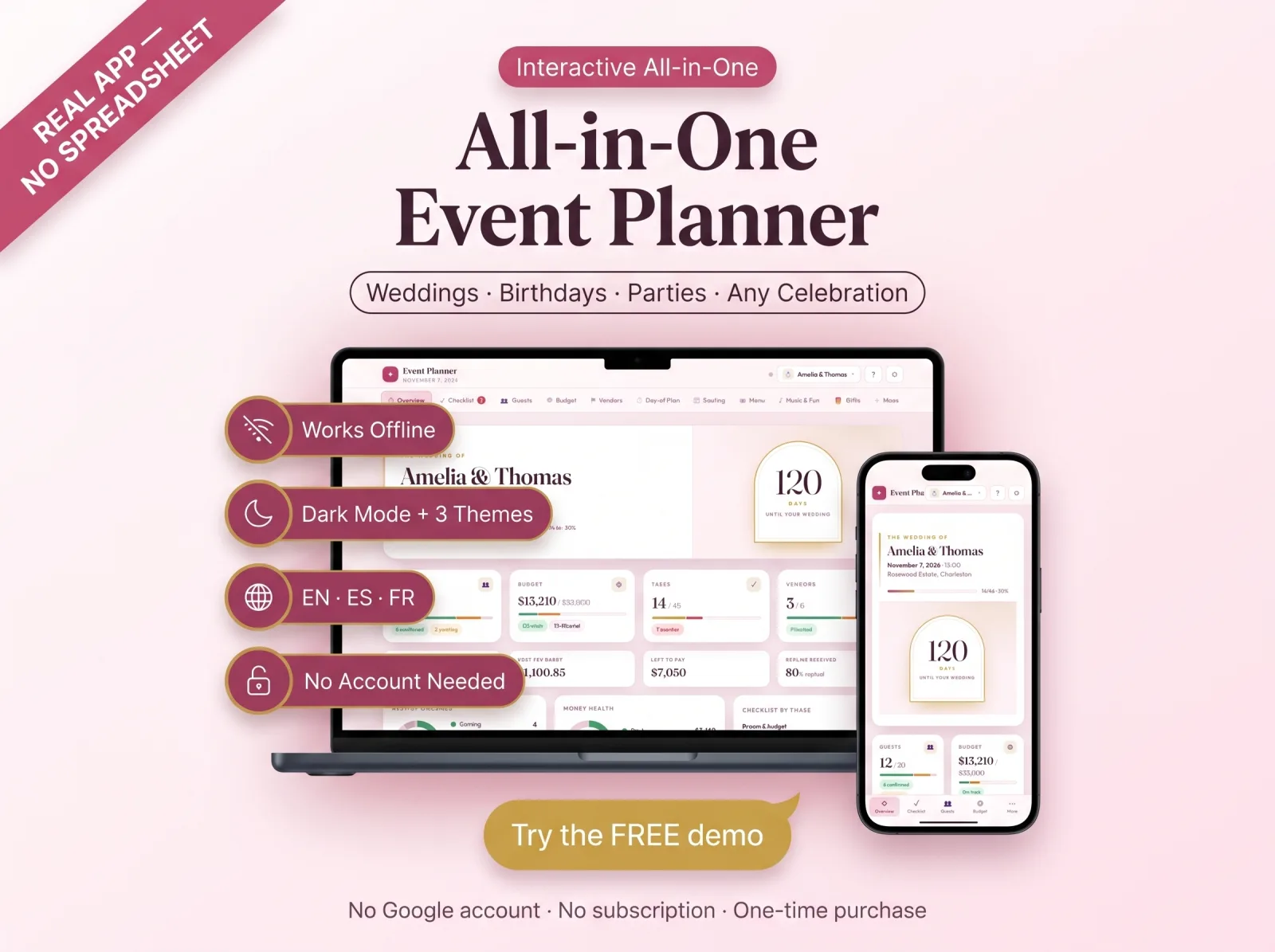
The All-in-One Event Planner App — one beautiful browser app for weddings, birthdays, parties, baby showers and corporate events. Guest list & RSVP, budget tracker, seating chart, vendor manager, timeline checklist and more, all in one place. A real app you use from any device — not a spreadsheet, not a PDF. No spreadsheet. No monthly fee.

  • ONE APP FOR EVERY CELEBRATION

Most planners only do one thing. This one adapts. Pick your event type — Wedding, Birthday, Party or Custom — and the whole planner reshapes itself: the checklist, timeline, budget categories and tools all change to fit that event. Plan your wedding, your child's birthday and a baby shower in the SAME app, each in its own space. Stop buying a new planner for every occasion.

  • TRY THE FREE DEMO FIRST

See exactly how it works before you buy — click through every tab: 👉 [YOUR NETLIFY DEMO LINK]

  • EVERYTHING INSIDE (13 tools)
  • Multi-Event Dashboard — all your events with live countdowns in one view
  • Overview — countdown, budget, RSVP and task stats at a glance, with charts
  • Smart Checklist — a full timeline built automatically from your event date
  • Guest List & RSVP — track coming/pending/declined, plus-ones, meals & allergies,

import/export CSV

  • Budget Tracker — planned vs actual vs paid, per-category bars, payment reminders
  • Vendor / Supplier Manager — quotes, deposits, payments, ratings & side-by-side compare
  • Day-of Schedule — hour-by-hour run of show, drag to reorder, times auto-cascade
  • Seating Chart — drag-and-drop tables with capacity warnings (tap-to-seat on phone)
  • Menu & Food — courses, who's bringing what, dietary flags from your guest list
  • Music & Fun — activities, games, prizes, playlists & do-not-play list
  • Gifts & Thank-Yous — registry/wishlist, what arrived, thank-you tracking
  • Inspiration & Photos — private photo mood board, notes, links & color palette
  • Settings — themes, language, currency, backup & print
  • WHY BUYERS LOVE IT
  • It's a real interactive app — not a clunky spreadsheet or static PDF
  • Works 100% offline in your browser — no account required to start
  • 3 beautiful themes including dark mode
  • Available in English, Spanish & French
  • Everything saves automatically; optional free cloud sync across your devices
  • Export a backup anytime · print your guest list, seating chart & schedule
  • One-time purchase — no subscription, ever
  • WORKS ON

Desktop, laptop, tablet and phone. Any modern browser (Chrome, Safari, Edge, Firefox). No software to install, no Google account, nothing to set up.

  • HOW IT WORKS
  • Buy & instantly download the ZIP
  • Open the HTML file in your browser (double-click)
  • Choose "save on this device" or create a free cloud account
  • Pick your event type and date — your planner builds itself
  • WHAT YOU GET
  • The Event Planner app (single .html file)
  • Quick-Start Guide (PDF) with your download link
  • Demo data file to explore every feature
  • Free lifetime updates · friendly support
  • NEED SOMETHING CUSTOM?

celebration.

Keywords: event planner app, all in one event planner, browser app, web app, interactive event planner, no spreadsheet, use from any device, offline, wedding planner app, birthday party planner, party planner, baby shower planner, corporate event planner, guest list, rsvp manager, event budget tracker, seating chart, vendor tracker, event timeline, event checklist, digital planner, event management.

Note: This is a digital product. No physical item is shipped. For personal use only. This is an interactive HTML app, not a Google Sheets or Excel spreadsheet.

Delivery & access

You get digital access after checkout. Download the file, unzip it, then open the app in your browser. It works on desktop, tablet, and phone, with optional cloud sync when the product includes account save.

Refund and support

Not right? Tell us first — we fix faults free, and we change anything you want, free. If you still do not want it, you have 30 days to get your money back. No forms, no arguing.

Product description

The All-in-One Event Planner App — one beautiful browser app for weddings, birthdays, parties, baby showers and corporate events. Guest list & RSVP, budget tracker, seating chart, vendor manager, timeline checklist and more, all in one place. A real app you use from any device — not a spreadsheet, not a PDF. No spreadsheet. No monthly fee.

  • ONE APP FOR EVERY CELEBRATION

Most planners only do one thing. This one adapts. Pick your event type — Wedding, Birthday, Party or Custom — and the whole planner reshapes itself: the checklist, timeline, budget categories and tools all change to fit that event. Plan your wedding, your child's birthday and a baby shower in the SAME app, each in its own space. Stop buying a new planner for every occasion.

  • TRY THE FREE DEMO FIRST

See exactly how it works before you buy — click through every tab: 👉 [YOUR NETLIFY DEMO LINK]

  • EVERYTHING INSIDE (13 tools)
  • Multi-Event Dashboard — all your events with live countdowns in one view
  • Overview — countdown, budget, RSVP and task stats at a glance, with charts
  • Smart Checklist — a full timeline built automatically from your event date
  • Guest List & RSVP — track coming/pending/declined, plus-ones, meals & allergies,

import/export CSV

  • Budget Tracker — planned vs actual vs paid, per-category bars, payment reminders
  • Vendor / Supplier Manager — quotes, deposits, payments, ratings & side-by-side compare
  • Day-of Schedule — hour-by-hour run of show, drag to reorder, times auto-cascade
  • Seating Chart — drag-and-drop tables with capacity warnings (tap-to-seat on phone)
  • Menu & Food — courses, who's bringing what, dietary flags from your guest list
  • Music & Fun — activities, games, prizes, playlists & do-not-play list
  • Gifts & Thank-Yous — registry/wishlist, what arrived, thank-you tracking
  • Inspiration & Photos — private photo mood board, notes, links & color palette
  • Settings — themes, language, currency, backup & print
  • WHY BUYERS LOVE IT
  • It's a real interactive app — not a clunky spreadsheet or static PDF
  • Works 100% offline in your browser — no account required to start
  • 3 beautiful themes including dark mode
  • Available in English, Spanish & French
  • Everything saves automatically; optional free cloud sync across your devices
  • Export a backup anytime · print your guest list, seating chart & schedule
  • One-time purchase — no subscription, ever
  • WORKS ON

Desktop, laptop, tablet and phone. Any modern browser (Chrome, Safari, Edge, Firefox). No software to install, no Google account, nothing to set up.

  • HOW IT WORKS
  • Buy & instantly download the ZIP
  • Open the HTML file in your browser (double-click)
  • Choose "save on this device" or create a free cloud account
  • Pick your event type and date — your planner builds itself
  • WHAT YOU GET
  • The Event Planner app (single .html file)
  • Quick-Start Guide (PDF) with your download link
  • Demo data file to explore every feature
  • Free lifetime updates · friendly support
  • NEED SOMETHING CUSTOM?

celebration.

Keywords: event planner app, all in one event planner, browser app, web app, interactive event planner, no spreadsheet, use from any device, offline, wedding planner app, birthday party planner, party planner, baby shower planner, corporate event planner, guest list, rsvp manager, event budget tracker, seating chart, vendor tracker, event timeline, event checklist, digital planner, event management.

Note: This is a digital product. No physical item is shipped. For personal use only. This is an interactive HTML app, not a Google Sheets or Excel spreadsheet.

Delivery & access

You get digital access after checkout. Download the file, unzip it, then open the app in your browser. It works on desktop, tablet, and phone, with optional cloud sync when the product includes account save.

Refund and support

Not right? Tell us first — we fix faults free, and we change anything you want, free. If you still do not want it, you have 30 days to get your money back. No forms, no arguing.

Sheets vs FluVana

No Excel. No broken cells.

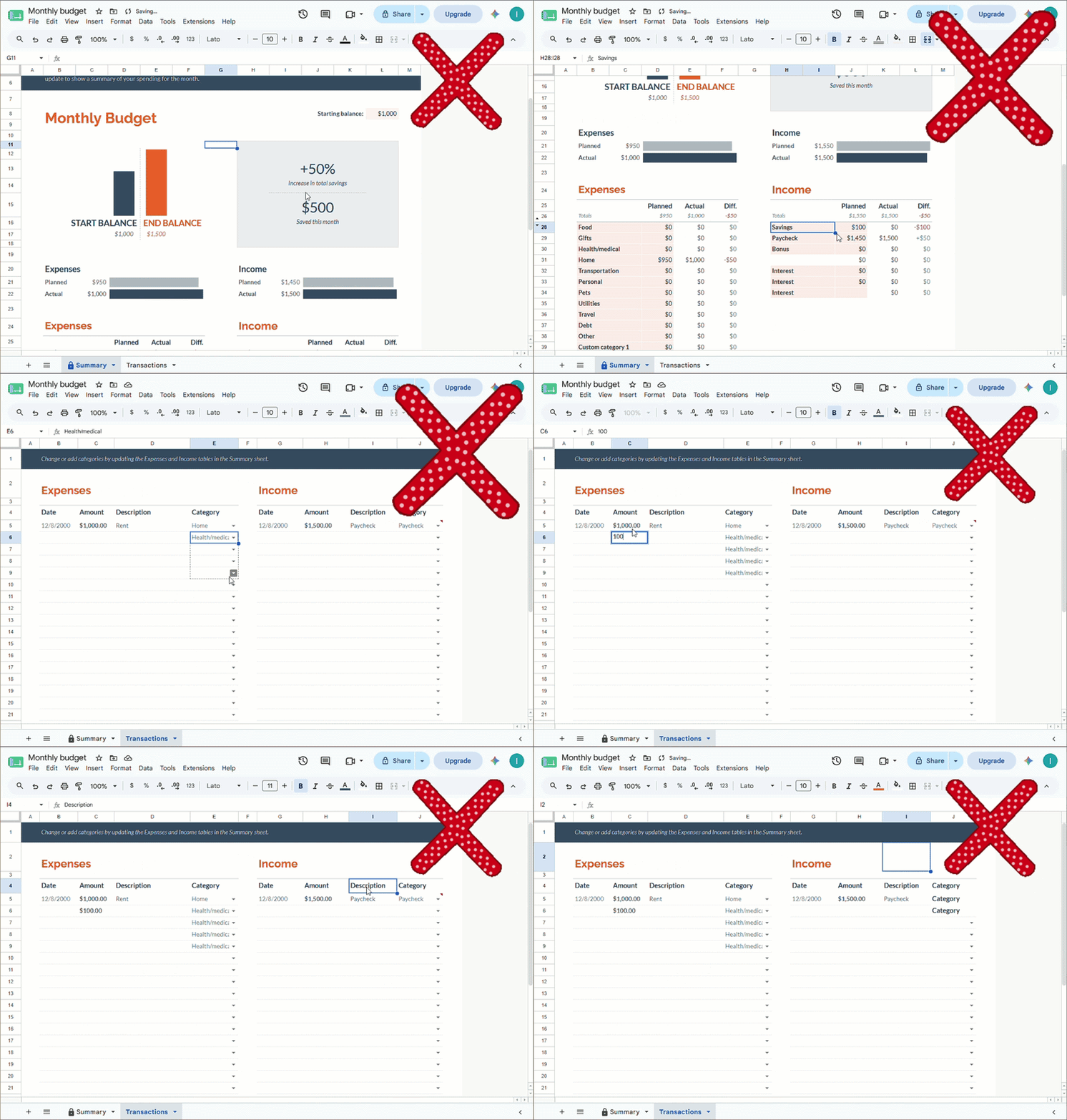
A spreadsheet being edited, with formulas breaking as cells are changed
  • Users must understand cells, tabs, formulas, and file saving.
  • Phone use feels cramped, especially for daily tracking.
  • A small edit can change totals or damage the template.
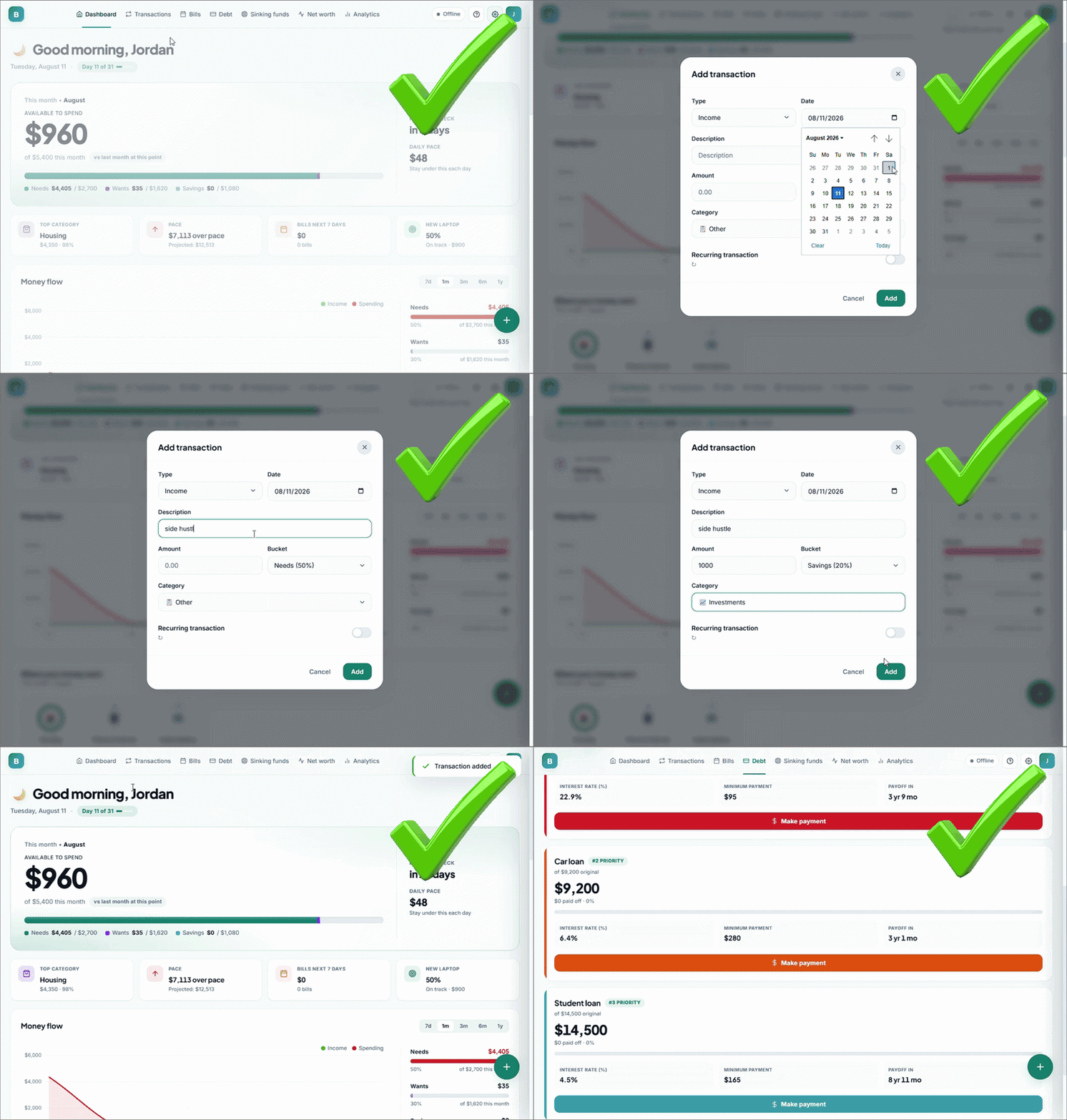
A FluVana planning app being used: tapping buttons to add entries and watching the dashboard update
  • Tap buttons instead of editing cells or formulas.
  • Made for phone, tablet, and desktop from the start.
  • One-time payment, no subscription to keep using the app.

How it works

From download to planning.

1

Download

Get the digital file after checkout and keep access through your customer account.

2

Open

Unzip the file, open the app in your browser, and start without installing extra software.

3

Tap and save

Use guided buttons, dashboards, and phone-ready screens instead of editing cells.

Single HTML appone file
Phone friendlydaily use
Works offlineafter opening
Optional cloud savewhen included
Lifetime updatesaccount access