Project Management Tracker — picture 1
1 / 9
Business & Work
4.8 shop rating · 32 reviews on Etsy

Project Management Tracker

Projects, tasks, and deadlines without a heavy PM tool

$22.99
  • No subscription
  • Instant access
Buy now

Secure checkout by Whop

  • Instant access
  • Pay once
  • Any device
  • 3 languages

You get: a PDF with your private app link and a quick-start guide.

  • VISA
  • Mastercard
  • Apple Pay
  • Google Pay
  • Crypto
About this appFeatures and what you get

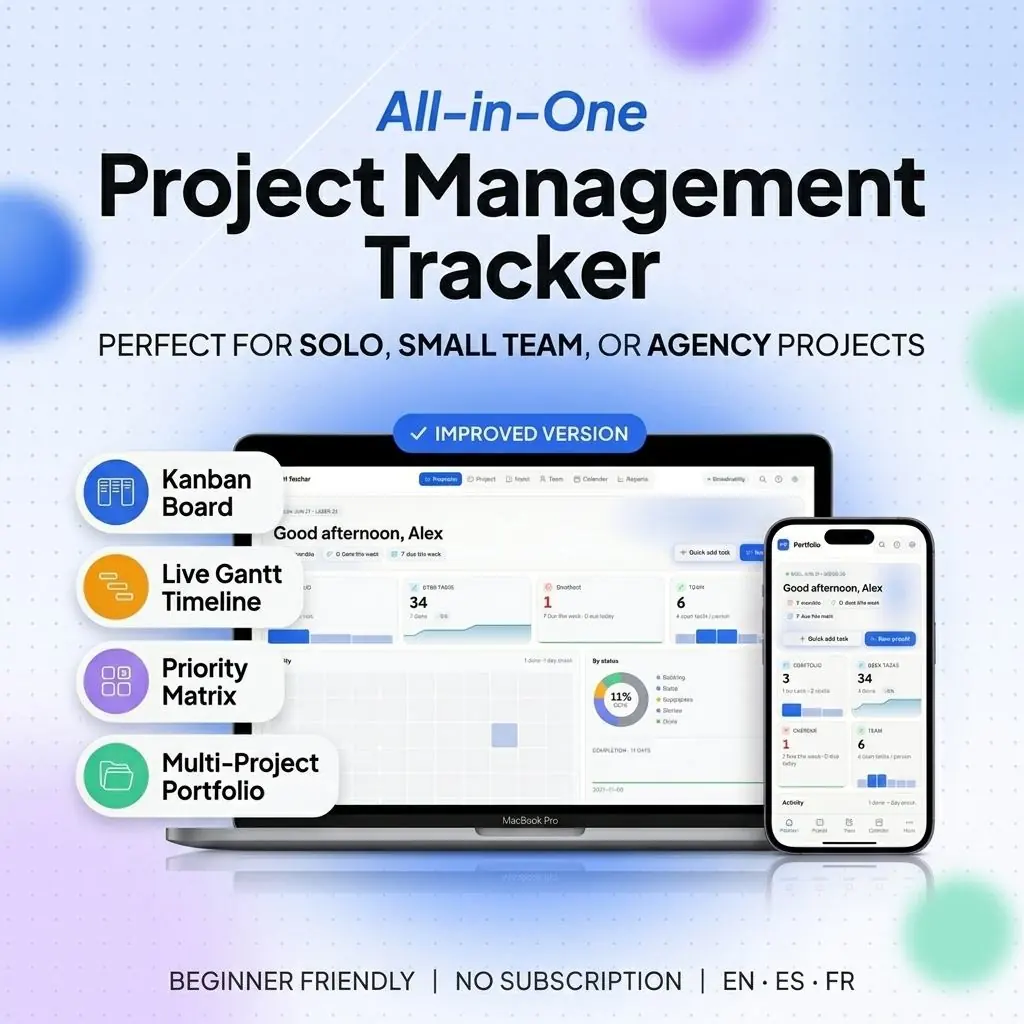
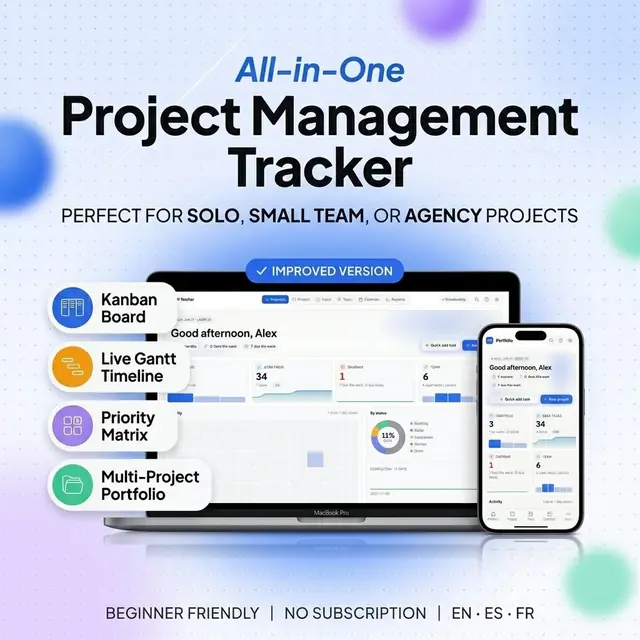
A complete Project Management Web App with drag-drop Kanban Board, live Gantt Chart, Task Tracker, Priority Matrix and a multi-project Dashboard. Browser-based, works offline, no Excel or Google Sheets required, no subscription. One file. Lifetime updates.

What you get (one HTML file, runs anywhere)

  • Kanban Board — drag-drop on desktop AND your phone (long-press to grab)
  • Live Gantt Chart — drag bar edges to resize, drag the middle to reschedule, dependency lines
  • Priority Matrix — Eisenhower 4-quadrant grid (Do, Plan, Delegate, Drop)
  • Task Inbox — global view across every project, filter by Today / This Week / Overdue / Done
  • Calendar — month view with project-colored events, click any day to see its tasks
  • Portfolio Dashboard — live KPIs, sparkline trends, status donut, 12-week activity heatmap
  • Team — workload bars per person, color-coded avatars, project assignments
  • Reports — per-project progress, budget vs actual, team workload, print-ready
  • Files and Photos — attach reference links + photos (photos stay private on your device)
  • Project Notes — rich-text scratchpad per project
  • Recurring Tasks — auto-generate weekly / monthly / custom-interval tasks
  • Search Everywhere — find any task across every project in one box
  • 3 Themes — Daylight (light), Graphite (dark), Linen (warm cream)
  • 3 Languages — English, Español, Français
  • Optional Cloud Sync — sign in to keep your data safe across devices (or stay 100% local)
  • Export / Import — full JSON backup, CSV import for existing project lists

Why it's different

Other project management templates are Google Sheets / Excel spreadsheets — they break on your phone, formulas crash, and you bounce between 13 tabs. This is a REAL APP: one HTML file you double-click. Works on Mac, Windows, Linux, iOS, Android. Online or offline. No login required.

  • Phone-native — drag-drop actually works with your finger
  • Multi-project — switch projects from any screen, no tab-hunting
  • Premium dashboard — charts that update the second you check a box
  • Three themes — pick the look that fits your day
  • Three languages — Spanish & French translations native, not robotic
  • Print-ready — clean PDF / paper output for client status reports

Who it's for

  • Freelancers running 3–8 client projects who want phone-triage during the day and deep work at night
  • Small business owners coordinating internal initiatives
  • Team leads at 3–25-person companies who need a tool they can show in a Zoom share without embarrassment
  • ADHD / neurodivergent productivity folks who can't keep 13 spreadsheet tabs straight
  • Anyone leaving Notion / Asana / Monday for something they own forever

What's in the download

  • Project-Management-Tracker.html — the app (one file, all CSS + JS inline)
  • demo-data.json — rich sample data showing every feature (load via Settings → Import)
  • ReadMe.pdf — Quick-Start Guide with screenshots

How it works (instant download, no setup)

  • Open your PDF (instant after purchase) and follow its private link
  • Double-click Project-Management-Tracker.html
  • It opens in your browser — pick a theme + language, name your first project, start
  • (Optional) Sign in once to sync across your phone + laptop + iPad

No installs. No Google account. No subscription. No internet required after download.

How it works

  1. Pay securely

    Card, Apple Pay, Google Pay or crypto. Checkout is by Whop.

  2. Get your PDF instantly

    It holds your private link to the app and a quick-start guide.

  3. Open it on any device

    Tap the link on your phone, tablet or computer. The guide shows every step.

What buyers say

4.8
Shop rating on Etsy
32
reviews
153
sales
The Homeschool planner has helped me tremendously as we start the first year of homeschooling. It has helped me stay organized.
KrisandraEtsy review · Homeschool Planner
This Inventory Tracker has a classy interface with lots of useful features, and is very user friendly for beginners.
BriannaEtsy review · Inventory Tracker
definitely recommend! the planner set up is very user friendly and I love how interactive it is.
LucianEtsy review · Student Nurse Planner
Customer Service is Excellent!!! The lesson planner is easy to use. Love it!!
BrittEtsy review · Homeschool Planner
GET THIS ONE! forget the other ones out there. This is the real deal.
Etsy buyerEtsy review · Homeschool Planner
Some hiccups with the planner, but seller was very communicative and quick to find a solution.
DanaEtsy review · Homeschool Planner

Questions before you buy

01What do I get after I buy?

A PDF with your private link to the app and a quick-start guide. The guide shows how to open it on your phone, tablet or computer.

02Which devices and languages does it work on?

Any phone, tablet or computer with a current browser. The apps are available in English, Spanish and French.

03Does it work offline?

Yes. Your data is saved on your own device, in your browser. Cloud sync is optional, if you want the same data on more than one device.

04Is it a subscription?

No. You pay once and it is yours to keep. There are no renewals.

You may also like