School Counselor Planner — picture 1
1 / 10
Education & Student Tools
4.8 shop rating · 32 reviews on Etsy

School Counselor Planner

Caseload, sessions, and notes for school counselors

$19.97
  • No subscription
  • Instant access
Buy now

Secure checkout by Whop

  • Instant access
  • Pay once
  • Any device
  • 3 languages

You get: a PDF with your private app link and a quick-start guide.

  • VISA
  • Mastercard
  • Apple Pay
  • Google Pay
  • Crypto
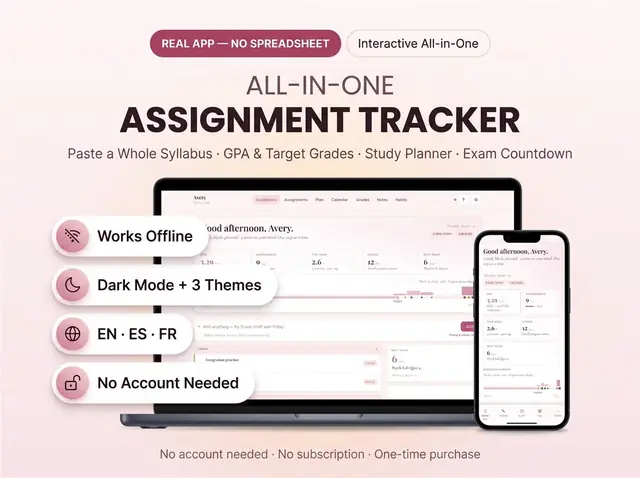
About this appFeatures and what you get

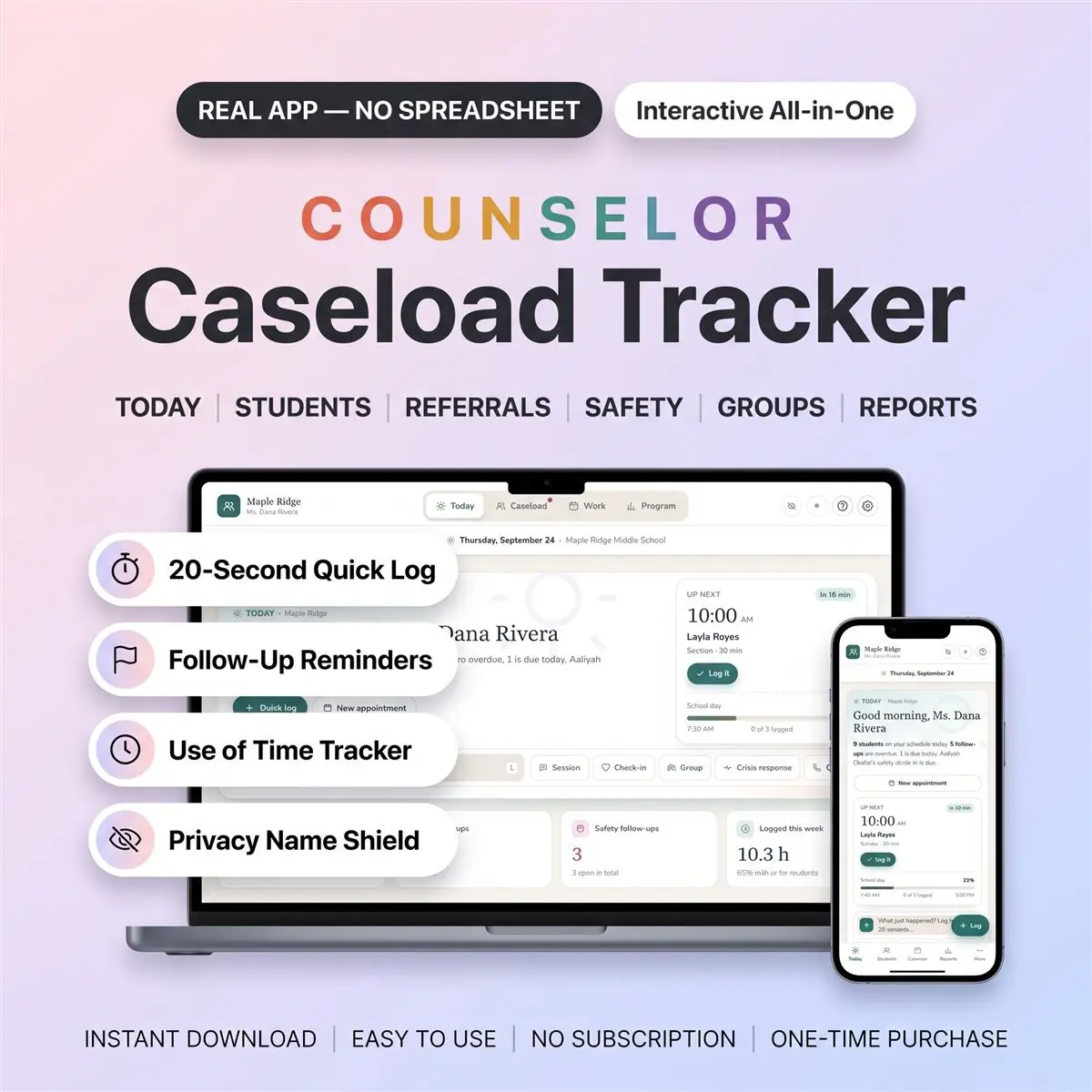
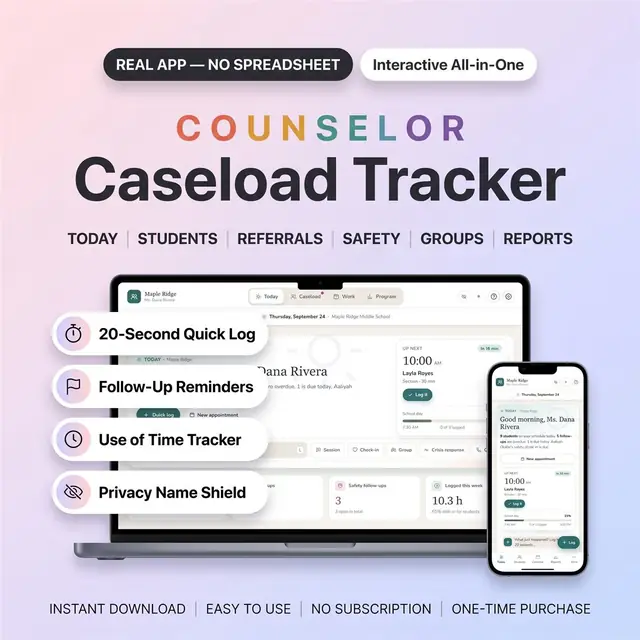
This school counselor planner is a real app for your whole caseload: students, sessions, referrals and follow-ups in one calm place, right in your browser.

Log a session in about 20 seconds, and it fills in the student's history, your use of time, the next follow-up and your reports. It works as a caseload tracker and student data tracker for school counselors, and a School Social Worker mode adds service minutes and home visits.

It's an interactive web app, not a spreadsheet and not a printable PDF. No formulas, no broken cells, nothing to install.

What you get

  • One PDF with your private download link and a quick-start guide
  • The Caseload Tracker app (one file you keep forever)
  • Sample data from a made-up middle school, which you can import from Settings to explore every screen first

How to open it

After purchase, your PDF includes the private access link and quick-start guide.

  • Tap the link inside to get your app.
  • Open it and start logging. The PDF shows the quick steps for every device, including iPhone and iPad.

Works on

  • iPhone, iPad, Android, Mac and Windows, in any modern browser
  • Works offline, even in an office with no Wi-Fi
  • No account needed: your data saves on your device
  • Optional cloud sync with a free account keeps your school laptop and home computer in step

What's inside

Today

  • Your day at a glance: who's on your schedule, overdue follow-ups, safety check-ins due
  • 20-second Quick Log from any screen: session, check-in, group, crisis response, contact and more
  • Hide names: one tap blurs every student name when someone walks into your office

Students

  • Every student's story in one place: sessions, groups, family contacts and follow-ups on one dated timeline
  • Grade, homeroom, MTSS tier, concern areas, 504 / IEP flags, status
  • Show full names, initials or student codes, app-wide and on prints
  • Print a clean student summary for team meetings (private notes stay out unless you choose)

Referrals

  • One board: Waiting → Triaged → In progress → Closed
  • Referrals from teachers, parents, nurses, admin or students, with urgency and school days waited
  • Turn a referral into a caseload student in one tap
  • Print a blank referral form for staff

Safety follow-up

  • Record the steps and dates: noted, family notified, admin informed, safety plan, outside referral, check-ins, closed
  • Due and overdue check-ins show first, here and on Today
  • This is a follow-up record. It is not a risk assessment and it doesn't replace your school's crisis protocol.

Use of time

  • Every session, group, lesson and duty adds up on its own
  • Direct / indirect / program time against your own goal (80% by default, editable)
  • Week, month or school-year view, ready to print for your principal

Groups

  • Members, schedule, sessions and attendance for each small group
  • Before-and-after scores show who improved
  • Print group results to share with your team

And more

  • Calendar and appointments, including weekly recurring check-ins
  • Activity log, day by day
  • Follow-ups count school days (weekends and breaks skipped)
  • School Social Worker mode: service minutes (mandated vs delivered) and home visits
  • School Counselor mode: classroom lessons
  • Resource library for community agencies, hotlines and services
  • Printable reports: program summary, students served, use of time, referral log, group results, caseload list, safety record
  • Export your activity for Excel or Sheets
  • New school year: archive the year and carry active students forward
  • Backup and restore from Settings, with automatic daily restore points

Made yours

  • 3 themes: Harbor, After Hours (dark) and Lavender Room
  • English, Español, Français. Switch any time in Settings
  • Free updates
  • One-time payment. No subscription, no monthly fees

Privacy, honestly

  • Student information is sensitive. Saving on this device is the recommended option, and cloud sync is optional.
  • Please use the storage option your school or district allows.
  • The optional 4-digit PIN is a screen lock, not encryption.

What you need

  • A phone, tablet or computer with a modern browser (Safari, Chrome, Edge or Firefox)
  • Internet only to download the app and, if you choose, for cloud sync
  • A printer only if you want paper reports

What you don't get

  • No physical item is shipped
  • Not a Google Sheets or Excel file, and not printable planner pages
  • Not an App Store app: it opens in your browser
  • No data is preloaded: the app starts empty, and the sample data is optional

How it works

  1. Pay securely

    Card, Apple Pay, Google Pay or crypto. Checkout is by Whop.

  2. Get your PDF instantly

    It holds your private link to the app and a quick-start guide.

  3. Open it on any device

    Tap the link on your phone, tablet or computer. The guide shows every step.

What buyers say

4.8
Shop rating on Etsy
32
reviews
153
sales
The Homeschool planner has helped me tremendously as we start the first year of homeschooling. It has helped me stay organized.
KrisandraEtsy review · Homeschool Planner
This Inventory Tracker has a classy interface with lots of useful features, and is very user friendly for beginners.
BriannaEtsy review · Inventory Tracker
definitely recommend! the planner set up is very user friendly and I love how interactive it is.
LucianEtsy review · Student Nurse Planner
Customer Service is Excellent!!! The lesson planner is easy to use. Love it!!
BrittEtsy review · Homeschool Planner
GET THIS ONE! forget the other ones out there. This is the real deal.
Etsy buyerEtsy review · Homeschool Planner
Some hiccups with the planner, but seller was very communicative and quick to find a solution.
DanaEtsy review · Homeschool Planner

Questions before you buy

01What do I get after I buy?

A PDF with your private link to the app and a quick-start guide. The guide shows how to open it on your phone, tablet or computer.

02Which devices and languages does it work on?

Any phone, tablet or computer with a current browser. The apps are available in English, Spanish and French.

03Does it work offline?

Yes. Your data is saved on your own device, in your browser. Cloud sync is optional, if you want the same data on more than one device.

04Is it a subscription?

No. You pay once and it is yours to keep. There are no renewals.

You may also like