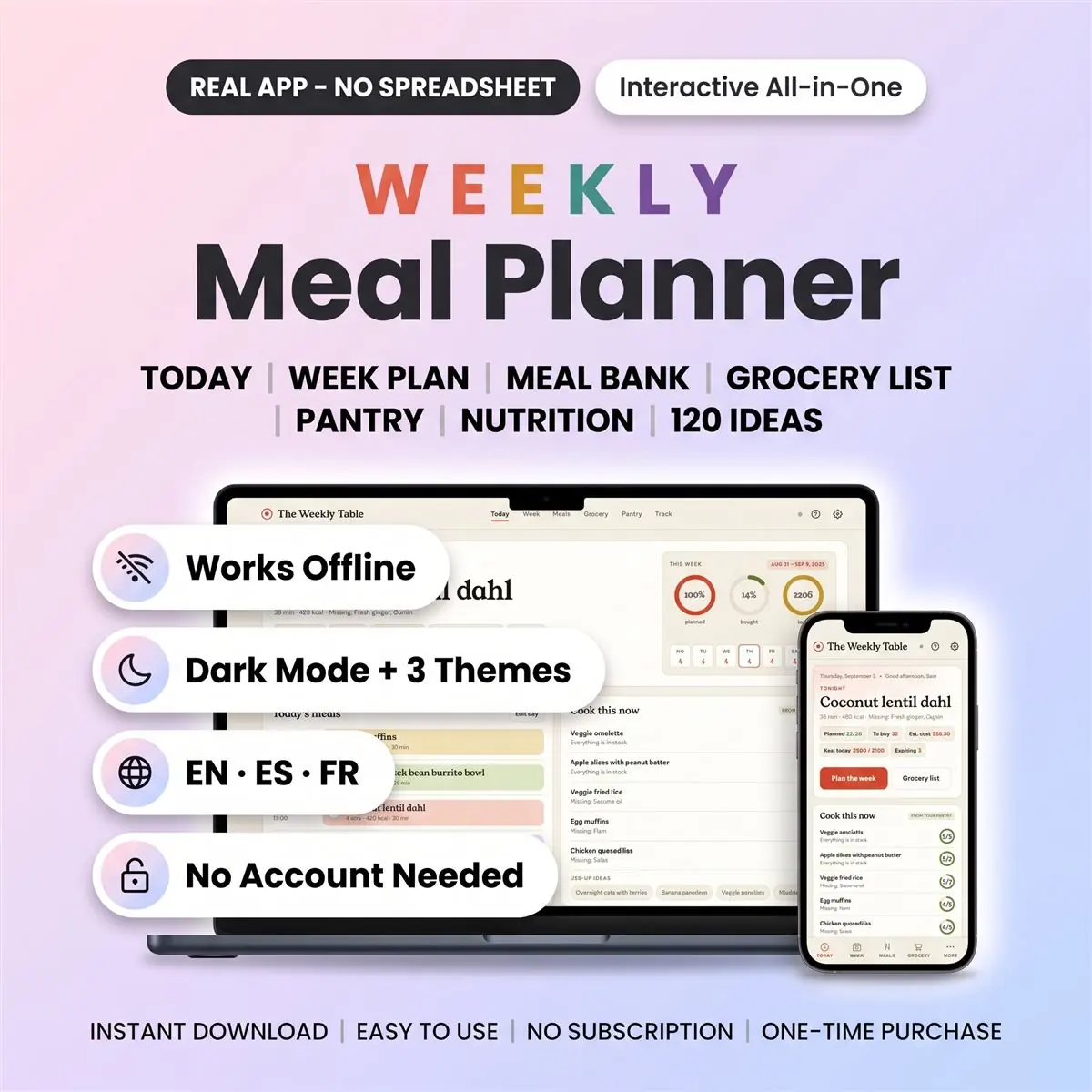
Weekly Meal Planner — picture 1
1 / 10
Life & Leisure
4.8 shop rating · 32 reviews on Etsy

Weekly Meal Planner

Meals, groceries, and leftovers for the week

$16.97
  • No subscription
  • Instant access
Buy now

Secure checkout by Whop

  • Instant access
  • Pay once
  • Any device
  • 3 languages

You get: a PDF with your private app link and a quick-start guide.

  • VISA
  • Mastercard
  • Apple Pay
  • Google Pay
  • Crypto
About this appFeatures and what you get

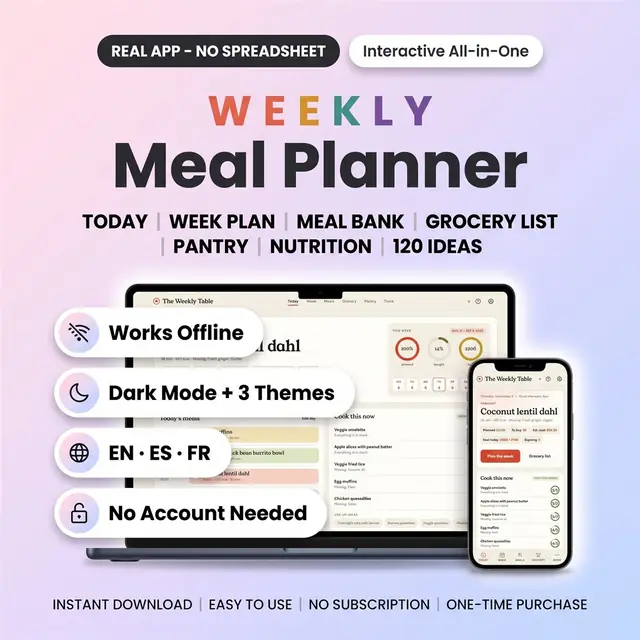
Tired of asking "what's for dinner?" every single evening? This weekly meal planner plans the week in minutes and writes your grocery list for you. It also tells you what you can cook from what is already in the fridge.

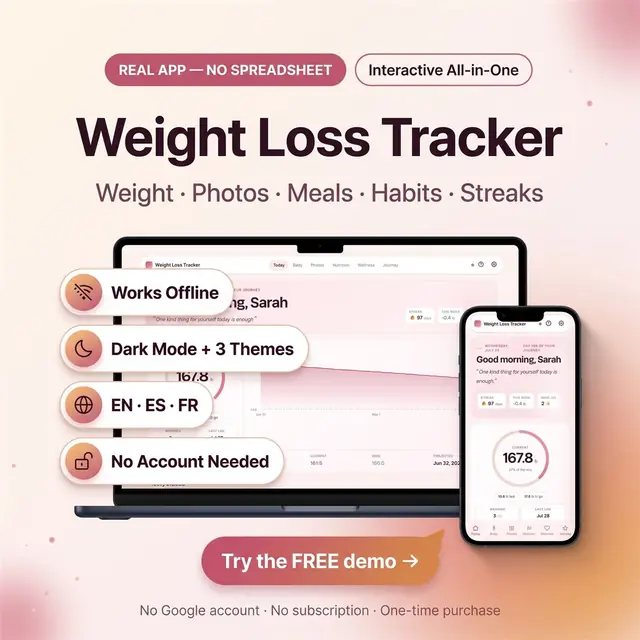
It is a real digital planner that opens in your browser. Not a spreadsheet, not a template you fill by hand. No account is needed and there is no subscription.

Why families switch from spreadsheets and paper

Every spreadsheet meal plan template makes you type the same things again and again. Here you tap a day, pick a meal, and the shopping list updates itself. Ingredients from every recipe are merged, quantities are added up and the list is sorted in your store's aisle order.

Add a meal by name in three seconds. "Tuesday tacos" is enough. Add a full recipe only when you want the grocery list to know the ingredients.

What is inside

  • Today: tonight's dinner, the day's four meals to tick off, what is expiring and what you can cook right now.
  • Week: a seven-day grid for breakfast, lunch, dinner and snacks. Start on Monday or Sunday, copy last week, print the fridge sheet.
  • Meals: your meal bank with quick meals and full recipes, plus 120 ready-made ideas with ingredients. Photos, ratings, cost per serving and source links.
  • Grocery list: automatic, merged and sorted by aisle. Tick items as you shop, add staples, set prices once and watch the weekly budget.
  • Pantry: fridge, freezer and cupboard with expiry dates, a use-up-first list and recipes ranked by what you already have.
  • Track: calories and macros logged when you mark a meal as cooked, water glasses and a calm weight trend. Your food journal lives here.
  • Prep day: a batch-cooking checklist built from the week's make-ahead meals. Every weekly menu template you need in one place.

Quick facts

  • Product type: interactive weekly meal planner and meal prep planner for the browser
  • Format: digital download, one browser file plus a sample data file
  • File type: a single web-app file that opens in Chrome, Safari, Edge or Firefox
  • Software: none to install, no spreadsheet program needed
  • Devices: phone, tablet, laptop and desktop, on iPhone, iPad, Android, Mac, Windows and Chromebook
  • Sections: Today, Week, Meals, Grocery, Pantry, Track, Settings and a built-in help guide
  • Editable: everything, from meals and recipes to aisle order, units and household
  • Start day: Monday or Sunday, your choice
  • Date range: undated, plan any week of any year
  • Language: English, Spanish and French, switch any time
  • Theme: three themes, Linen, Midnight Pantry and Butcher Block
  • License: personal use, one purchase, use on all your own devices
  • Intended for: busy families, meal preppers, couples and anyone doing the weekly meal planning
  • Delivery: instant download right after purchase, nothing is shipped

How it works

  • Follow the private link in your PDF and open the file in any browser. It runs on your device and works offline.
  • Choose "save on this device" or create a free account for optional cloud sync across devices.
  • Plan your week, open the grocery list and go shopping.

What you receive

  • The meal planner file, ready to open
  • A sample data file you can import to see every feature filled in
  • A short quick-start guide

One-time purchase. No subscription. Your data stays on your device unless you choose cloud sync.

Instant download items cannot be returned.

How it works

  1. Pay securely

    Card, Apple Pay, Google Pay or crypto. Checkout is by Whop.

  2. Get your PDF instantly

    It holds your private link to the app and a quick-start guide.

  3. Open it on any device

    Tap the link on your phone, tablet or computer. The guide shows every step.

What buyers say

4.8
Shop rating on Etsy
32
reviews
153
sales
The Homeschool planner has helped me tremendously as we start the first year of homeschooling. It has helped me stay organized.
KrisandraEtsy review · Homeschool Planner
This Inventory Tracker has a classy interface with lots of useful features, and is very user friendly for beginners.
BriannaEtsy review · Inventory Tracker
definitely recommend! the planner set up is very user friendly and I love how interactive it is.
LucianEtsy review · Student Nurse Planner
Customer Service is Excellent!!! The lesson planner is easy to use. Love it!!
BrittEtsy review · Homeschool Planner
GET THIS ONE! forget the other ones out there. This is the real deal.
Etsy buyerEtsy review · Homeschool Planner
Some hiccups with the planner, but seller was very communicative and quick to find a solution.
DanaEtsy review · Homeschool Planner

Questions before you buy

01What do I get after I buy?

A PDF with your private link to the app and a quick-start guide. The guide shows how to open it on your phone, tablet or computer.

02Which devices and languages does it work on?

Any phone, tablet or computer with a current browser. The apps are available in English, Spanish and French.

03Does it work offline?

Yes. Your data is saved on your own device, in your browser. Cloud sync is optional, if you want the same data on more than one device.

04Is it a subscription?

No. You pay once and it is yours to keep. There are no renewals.

You may also like